You must have Flash 10 installed to download this file.
Download FreeRIP MP3 Converter
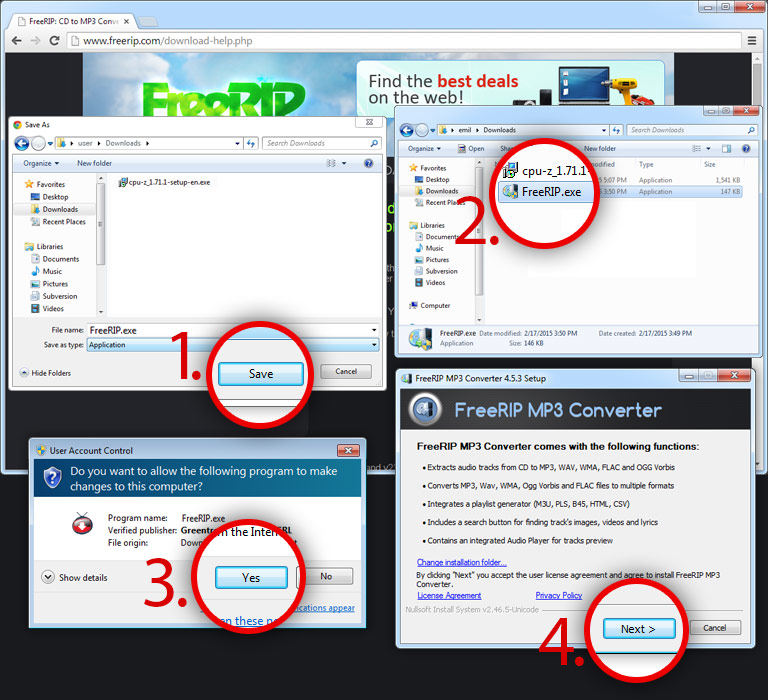
Installation instructions for Google Chrome.
Step 1: Save FreeRIP.exe on your computer and remember the location.
Step 2: Go to the folder where you saved FreeRIP.exe and double click it. If you don't remember where you saved the file please and keep in mind the location folder.
Step 3: Press Yes in order to start the FreeRIP MP3 Converter product install.
Step 4: Follow the steps listed in the installer to successfully install the application.