

It's Our Best Offer so far!!
$49.99 $19.90 for a lifetime FreeRIP Pro license
To download and install FreeRIP, please follow these steps:
Step 1: click here to start downloading FreeRIP
Step 2: Click on the Run button
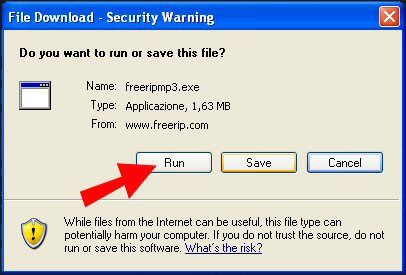
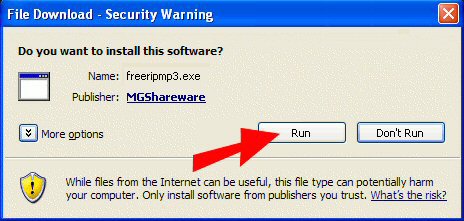
Step3: Once the file has finished downloading your browser may ask you for permission to install FreeRIP. If this happens simply click the Run button to proceed with the installation
Step 4: follow installation wizard's steps to complete setup
FreeRIP is now installed. Have fun!